Fullscreen show output
Run the final visual mix on the performance display while keeping controls separate for the operator.
Beat Velocity Studio gives DJs, VJs, streamers, gamers, venues, and event teams the tools to build, cue, sync, and output live visual shows from one performance-ready system. Program structured shows with timelines, cues, MIDI, OSC, and event triggers, or perform visuals live when the music, room, stream, game, or audience changes.
Beat Velocity Studio is not limited to one display handoff. Send the final visual mix directly to a screen, route it into other production tools, or publish it across venue and streaming workflows.
Run the final visual mix on the performance display while keeping controls separate for the operator.
Send Beat Velocity Studio into OBS, Resolume, TouchDesigner, streaming rigs, network video paths, and other production systems. Spout output is available on Windows 11.
Use projection mapping, external displays, venue screens, LED processors, and stream scenes as part of one visual performance workflow.
Beat Velocity Studio gives performers more than a preset launcher. The application includes live controls, shader management, pattern automation, show timelines, and MIDI and OSC control for real event workflows.
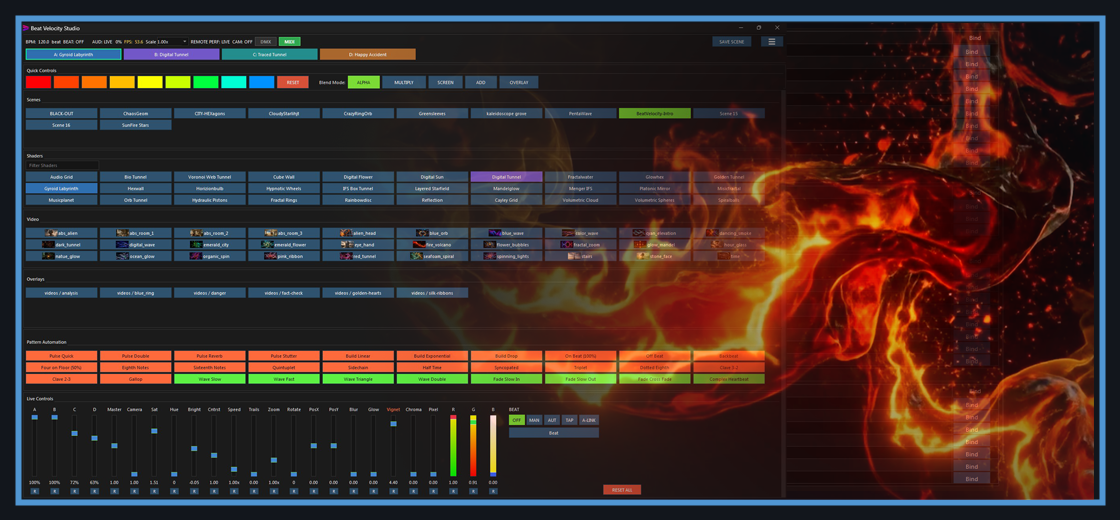
The main console keeps show-critical controls visible: scene recall, four visual layers, shader selection, video clips, beat modes, color controls, blend modes, and reset actions. Proxy cache generation helps non-HAP media stay responsive in performance workflows.
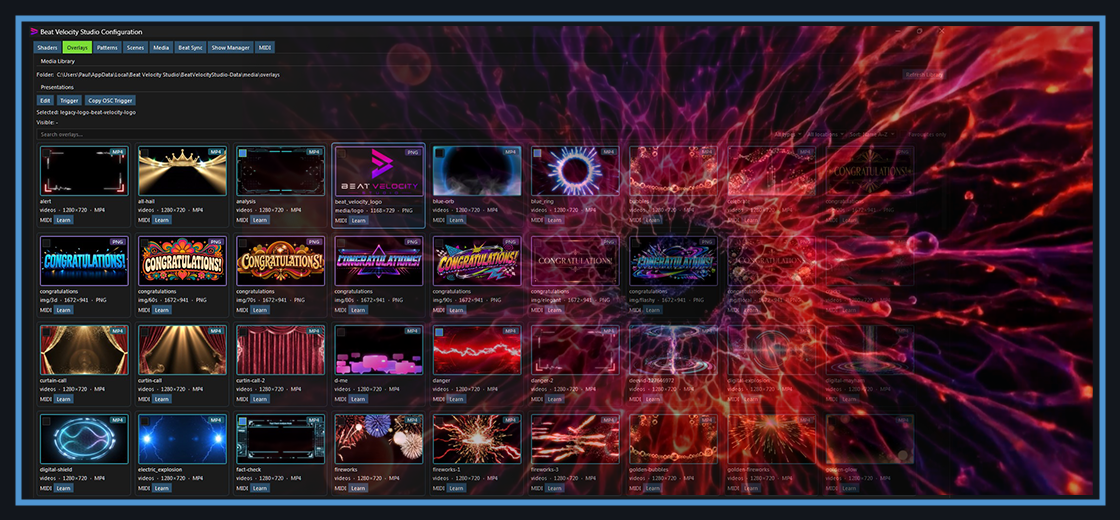
Keep a library of MP4 and PNG overlays ready to fire live, each with its own trigger and OSC address for hands-off cueing from a controller or tablet.
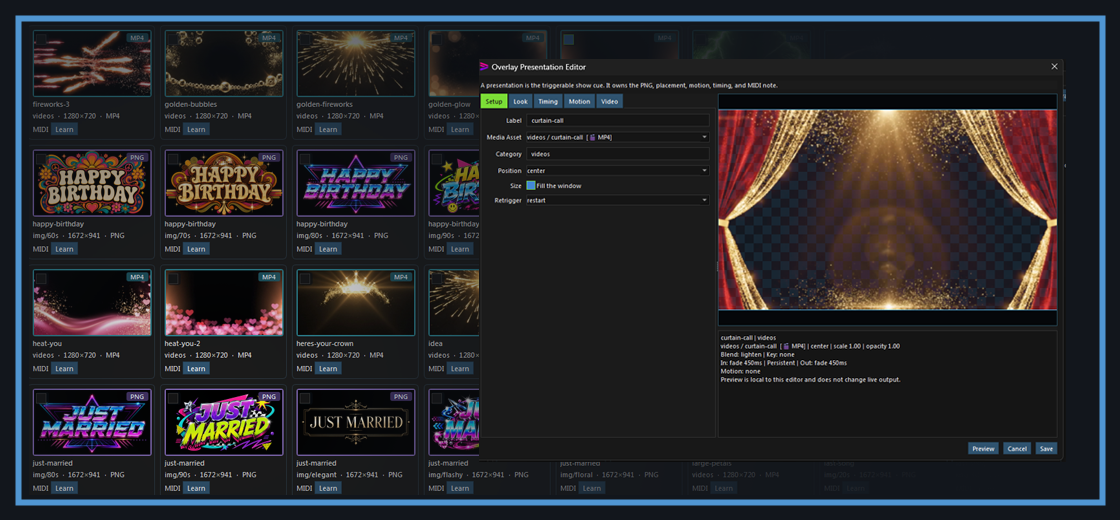
Build reusable overlay presentations with position, scale, blend mode, in and out timing, motion, and a bound MIDI note or OSC trigger so each cue lands exactly how you want.
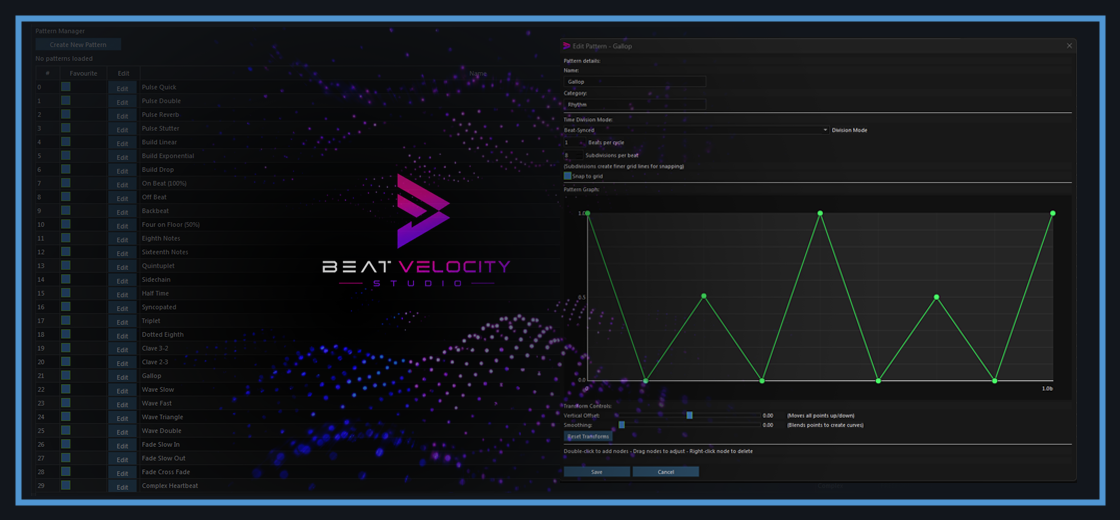
Create pulse, wave, build, fade, and stutter patterns with editable graph points, subdivisions, smoothing, and snap-to-grid behavior for repeatable show movement. Assign automation to opacity, color, speed, trails, zoom, rotation, position, blur, glow, and other live visual parameters.
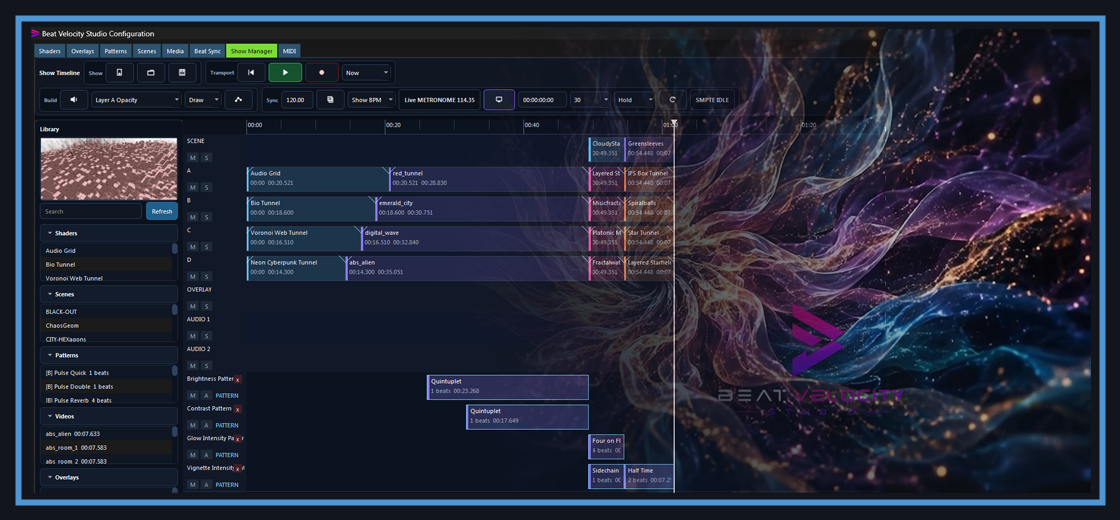
Sequence scenes on a visual timeline, resize cues, tag sections by color, record changes, and run playback manually or with sync modes when a show needs structure.
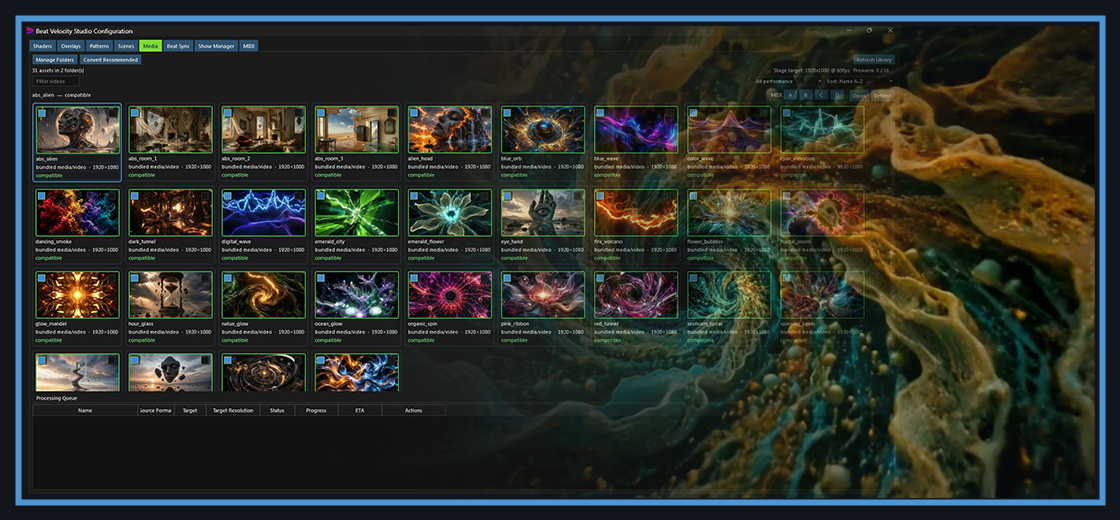
Browse bundled and imported media, filter and sort your library, and let automatic proxy generation and conversion keep clips responsive during the show.
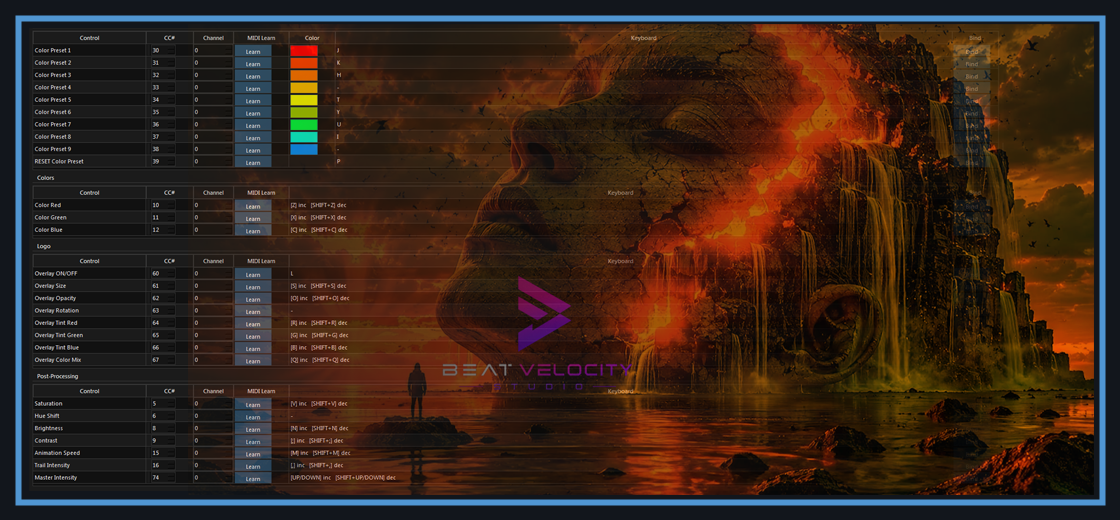
Use MIDI learn, CC assignments, channels, color preset bindings, keyboard shortcuts, and logo/effect controls to turn hardware controllers into a show-ready visual surface. The OSC API also supports TouchOSC and tablet-based control layouts for remote triggering, parameter changes, and custom operator workflows.
Join the Private Beta and help shape Beat Velocity Studio before launch.
Get the essentials for a live visual show: responsive effects, music-reactive motion, prepared content, screen output, and controls that stay usable during the event.
Generate live screen content that feels responsive and performance-led instead of static or pre-rendered.
Beat-driven motion helps keep the visuals connected to the soundtrack, stream, room, or show energy.
Save signature looks for weddings, clubs, brand activations, themed rooms, and specific genres.
Keep the controls readable and fast under pressure so visual changes do not interrupt the music workflow.
Send visuals to projectors, TVs, LED walls, venue displays, and stream scenes.
Purpose-built for macOS and Windows 11 performance setups used in mobile production, venue control, streaming, and event operations.
Beat Velocity Studio includes projection-mapping workflows for performers and venues that need visuals to fit the room, not just a flat monitor.
Adapt output for projection screens, stage flats, venue walls, branded surfaces, installation pieces, and irregular display areas without leaving the show workflow.
Use mapping controls to align content to the surface in front of you, making visuals feel intentionally placed instead of simply stretched across an output.
Combine mapped output with scenes, shaders, videos, logos, automation, MIDI, and OSC control so projection mapping remains part of the live performance, not a separate setup step.
Beat Velocity Studio supports more than one kind of room. The same engine adapts to the booth, the stream, the game, the venue, and the client event.
Run beat-aware visuals, transitions, logos, and live scenes that stay connected to the music, cued from a controller or tablet.
Send overlays and music-reactive visuals into OBS over NDI or Spout for a more produced live show, without touching the stream PC.
Layer hype effects, music-driven overlays, and stream moments over gameplay without adding a second operator.
Load branded content, announcements, ambient visuals, room presets, and mapped screens for repeatable show setups.
Add flexible video effects and screen content when clients want stronger atmosphere and better use of displays.
Beat Velocity Studio is built around real performance infrastructure: controller protocols, time sync standards, GPU rendering, network video, and professional media formats.
From MIDI, OSC, and TouchOSC control to live camera and audio input, NDI-ready workflows, Spout output on Windows 11, HAP, FFmpeg-backed decode, GLSL shader authoring, OpenGL acceleration, SMPTE sync, Ableton Link, PNG overlays, and MP4/MOV media workflows, the stack is designed for serious show environments.
Beat Velocity Studio is not trying to be every media server, mapping platform, or node-based visual system at once. Its strength is focus: real-time, music-reactive visual performance for DJs, VJs, streamers, gamers, venues, and live events.
That focus means the product prioritizes fast show setup, responsive controls, beat-aware timing, prepared content, tablet cueing, and output paths that fit real performance workflows.
Dedicated media servers, projection suites, and node-based tools still have their place for large installations and highly bespoke productions. Beat Velocity Studio is for the booth, the venue, the event rig, the livestream, and the operator who needs strong visuals that are ready to perform.
Request private beta access and help shape a product built for serious visual performance before the public launch.