
Beat Velocity Native control
Pair with Beat Velocity Studio and control scenes, layers, shaders, presets, videos, overlays, patterns, beat tools, blend modes, and live parameters from the companion surface.
Beat Velocity Console is a companion remote-control app for performance operators. The macOS and Windows 11 desktop app remains the visual engine; the Console sends OSC commands and receives live state, catalog, status, and preview feedback.
The Android Console is the current companion app. A macOS Console companion is coming soon for operators who want a second Mac-based control surface.
Beat Velocity Console for Android
Scan with your Android tablet or open the Play Store listing.
Open on Google PlayThe Console is built for the operator who wants hands-on control away from the keyboard, side-stage, at front of house, or next to the performer. It does not replace Beat Velocity Studio on macOS or Windows 11. It talks to it.
Pair with Beat Velocity Studio and control scenes, layers, shaders, presets, videos, overlays, patterns, beat tools, blend modes, and live parameters from the companion surface.
Add custom OSC providers for other platforms, with raw addresses, values, types, toggles, sliders, text controls, selects, and triggers. OSC Generic grids do not require a Beat Velocity provider.
When a generic provider exposes OSCQuery, the Console can fetch endpoint libraries so custom grids can be built from discovered addresses instead of typing everything from scratch.
These screens show how the Android companion app fits into a live setup: tablet control, custom OSC grids, visual feedback, and Beat Velocity Native provider pairing.
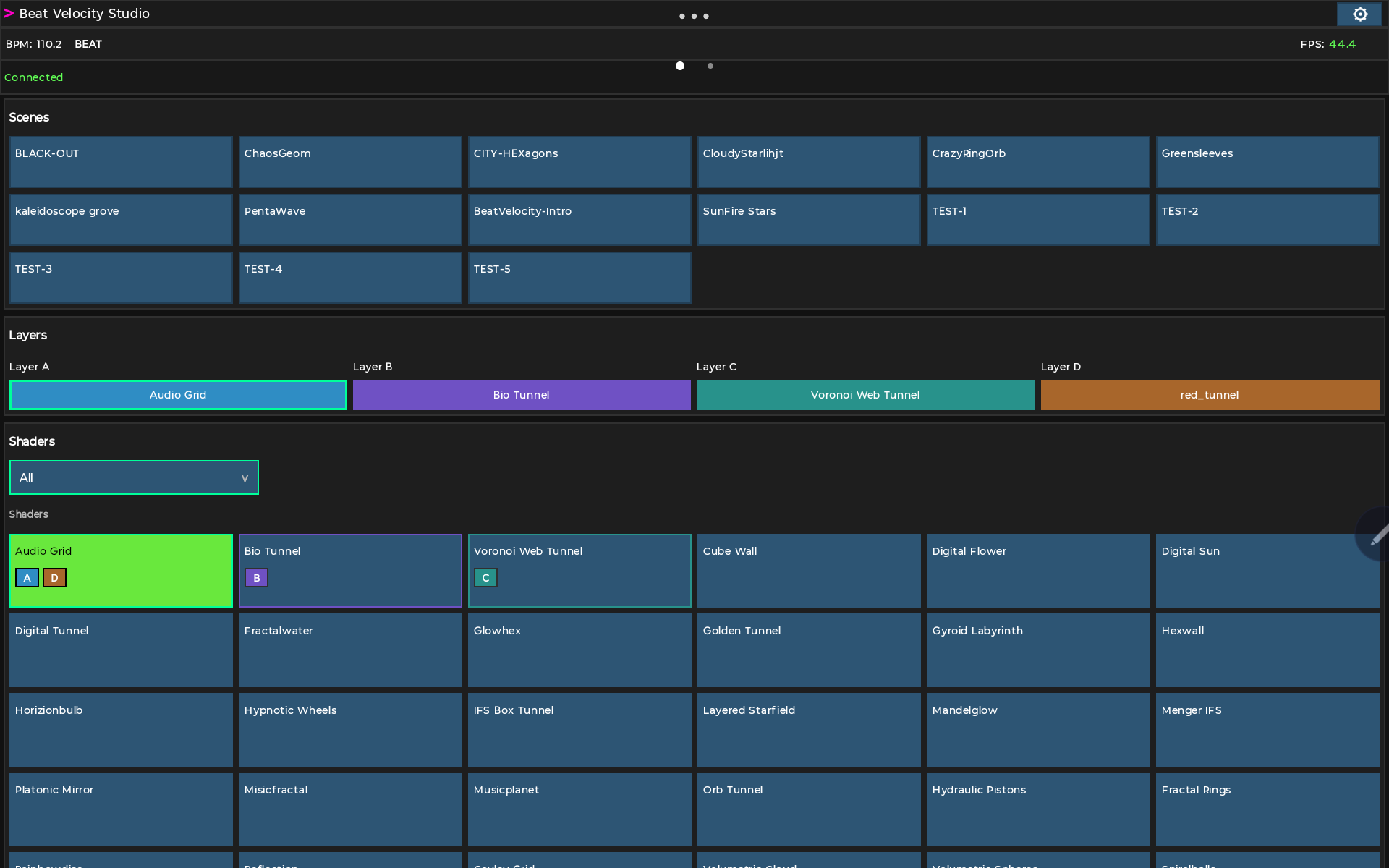
Connect to Beat Velocity Studio and turn your tablet into a dedicated live visual console for scenes, layers, shaders, videos, faders, and beat controls.
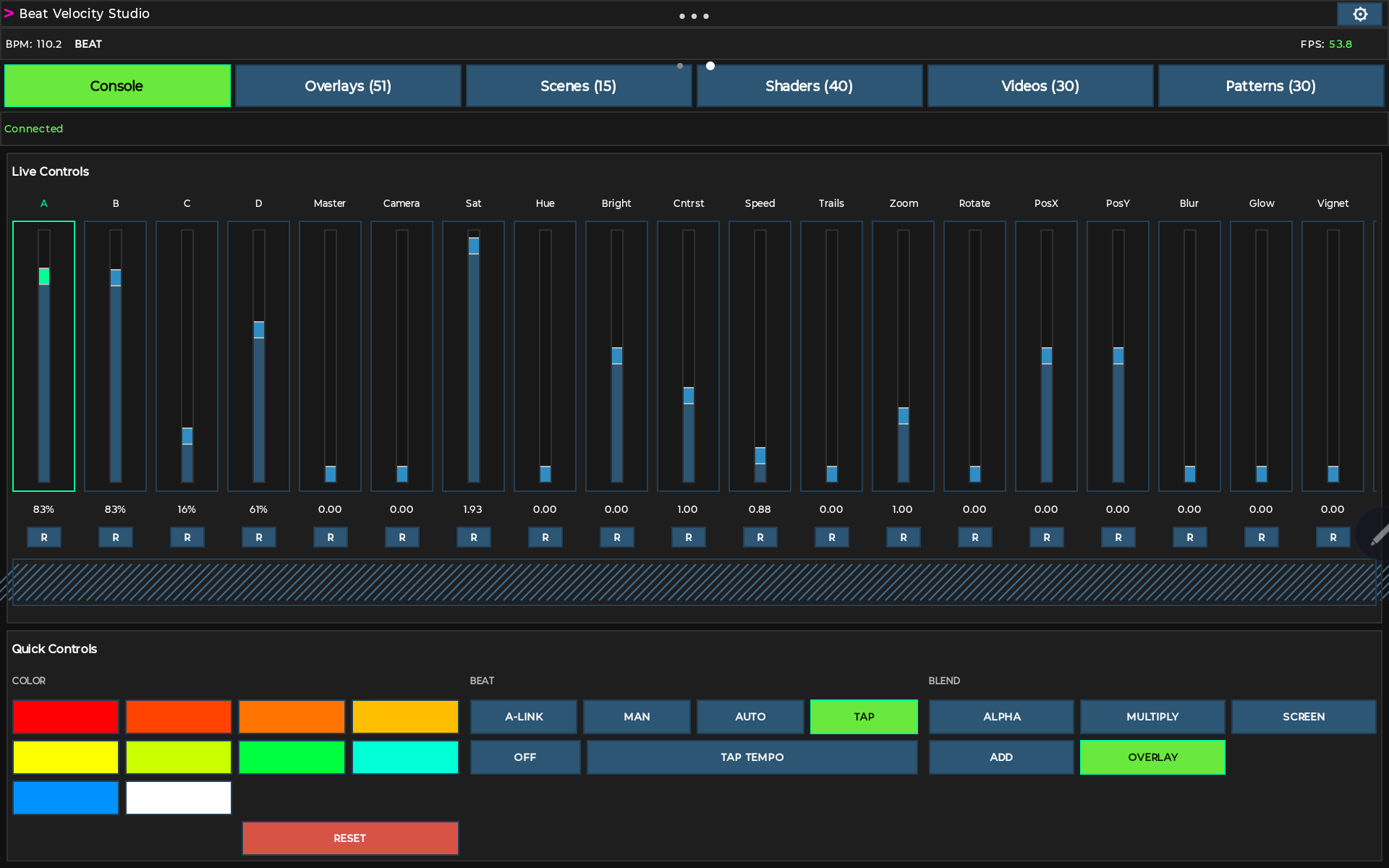
The Console tab keeps live parameter faders, RGB color presets, beat mode, and blend mode all in reach, so you can react in real time without leaving the tablet.
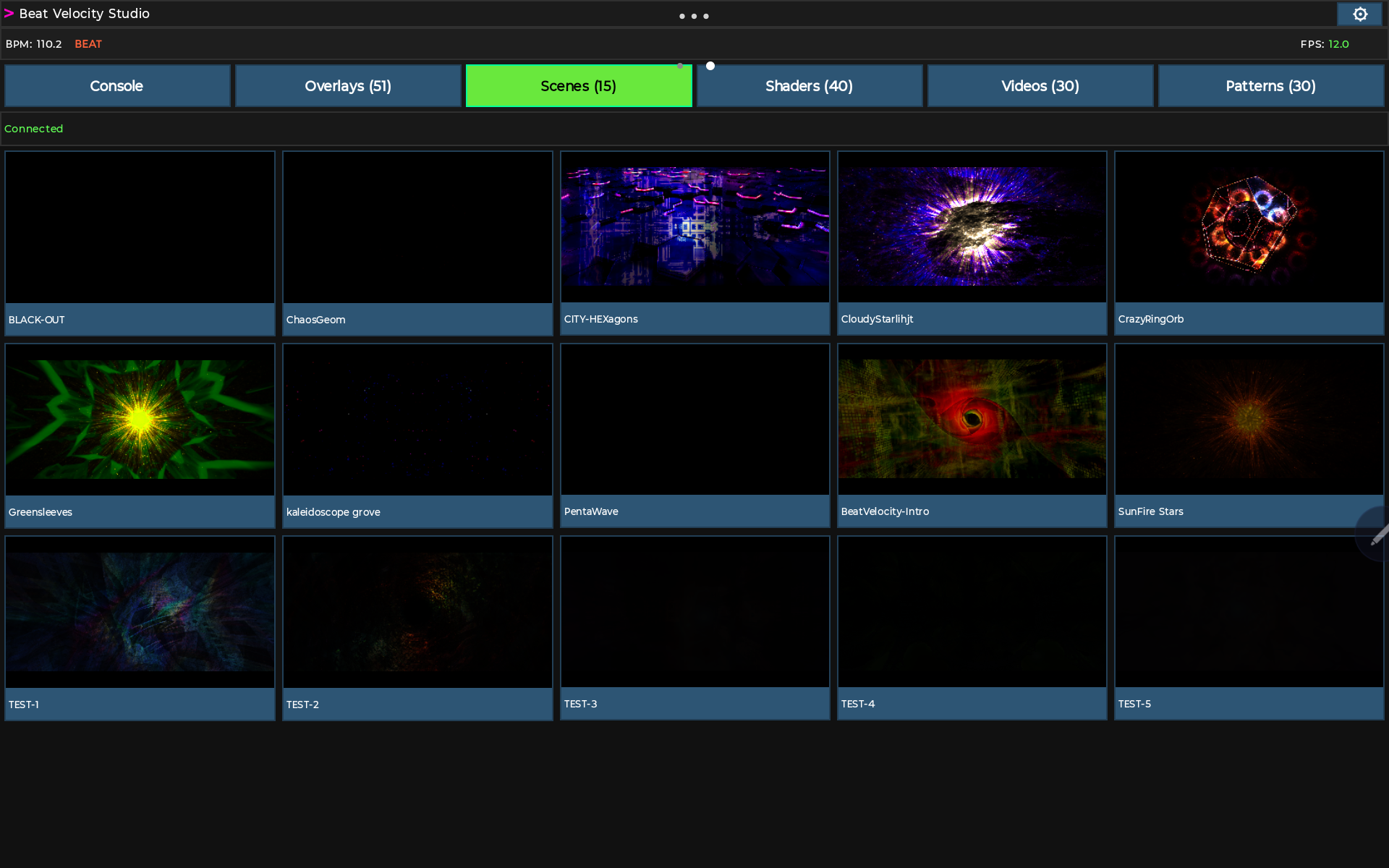
Fire favourite scenes with a tap and see the active scene highlighted live, synced straight from the Beat Velocity Studio desktop app.
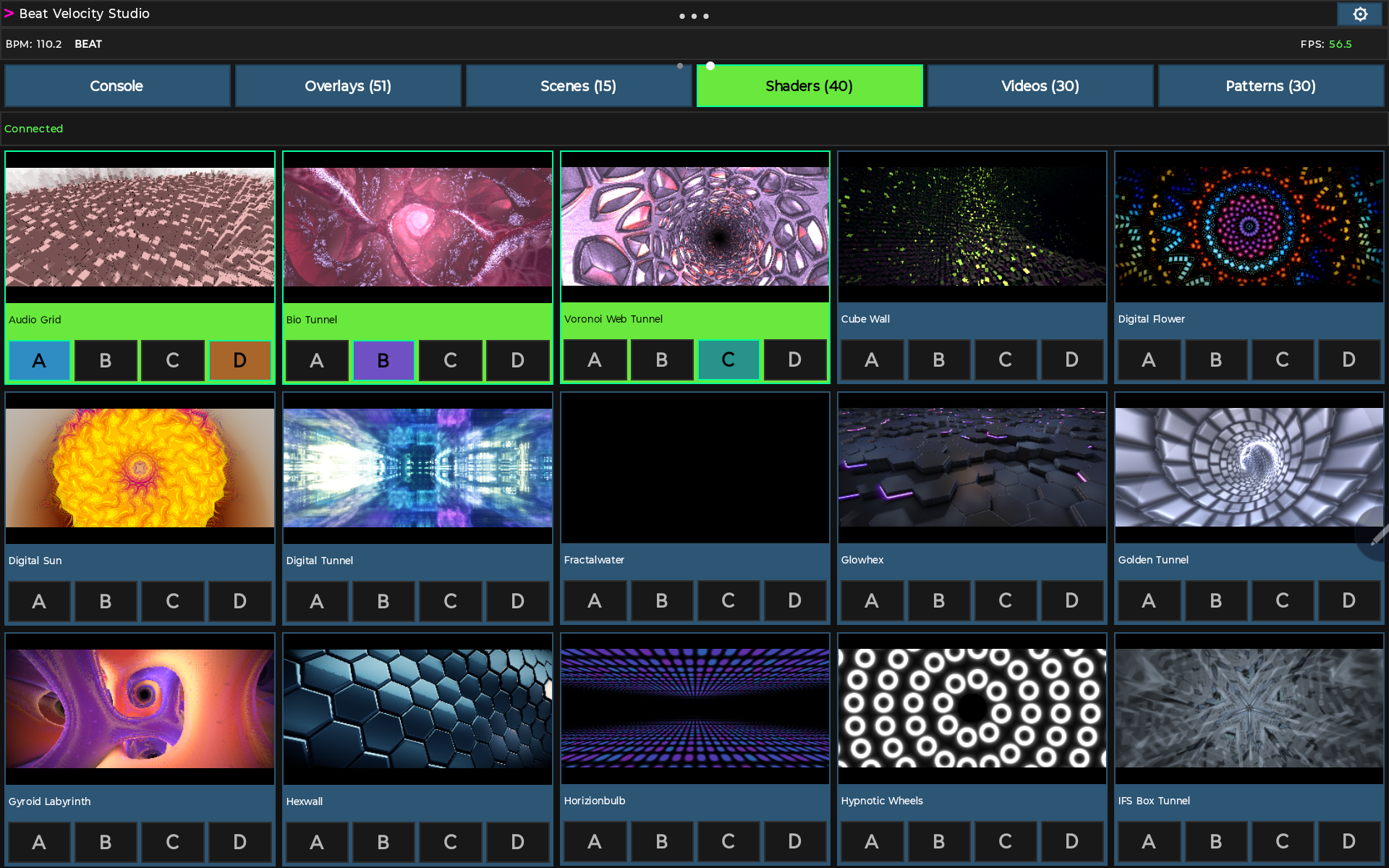
Browse the full shader library with live thumbnails and assign a shader straight to layer A, B, C, or D from the tablet.
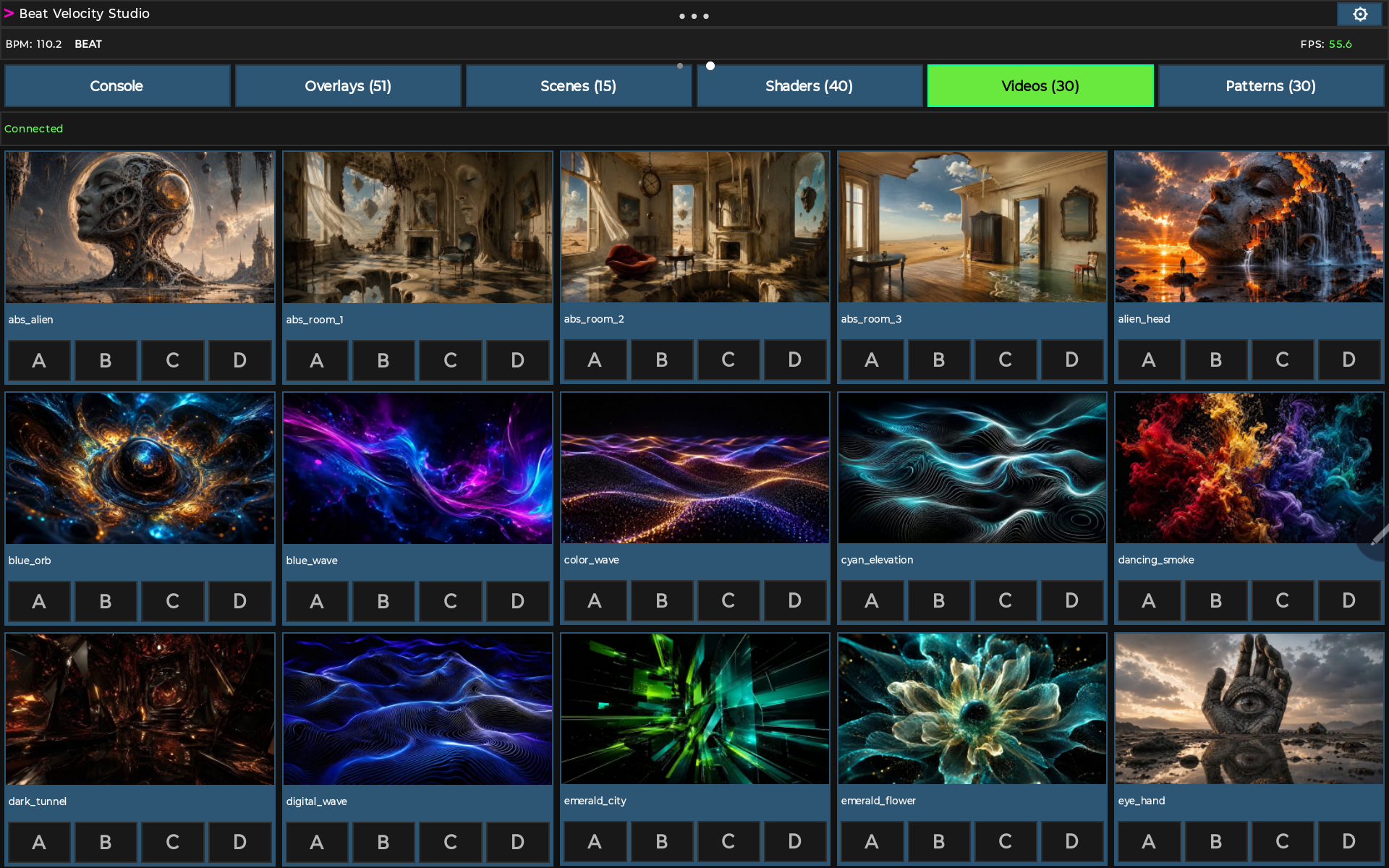
Browse favourited video clips with live thumbnails and assign them to a layer instantly, right alongside your shaders.
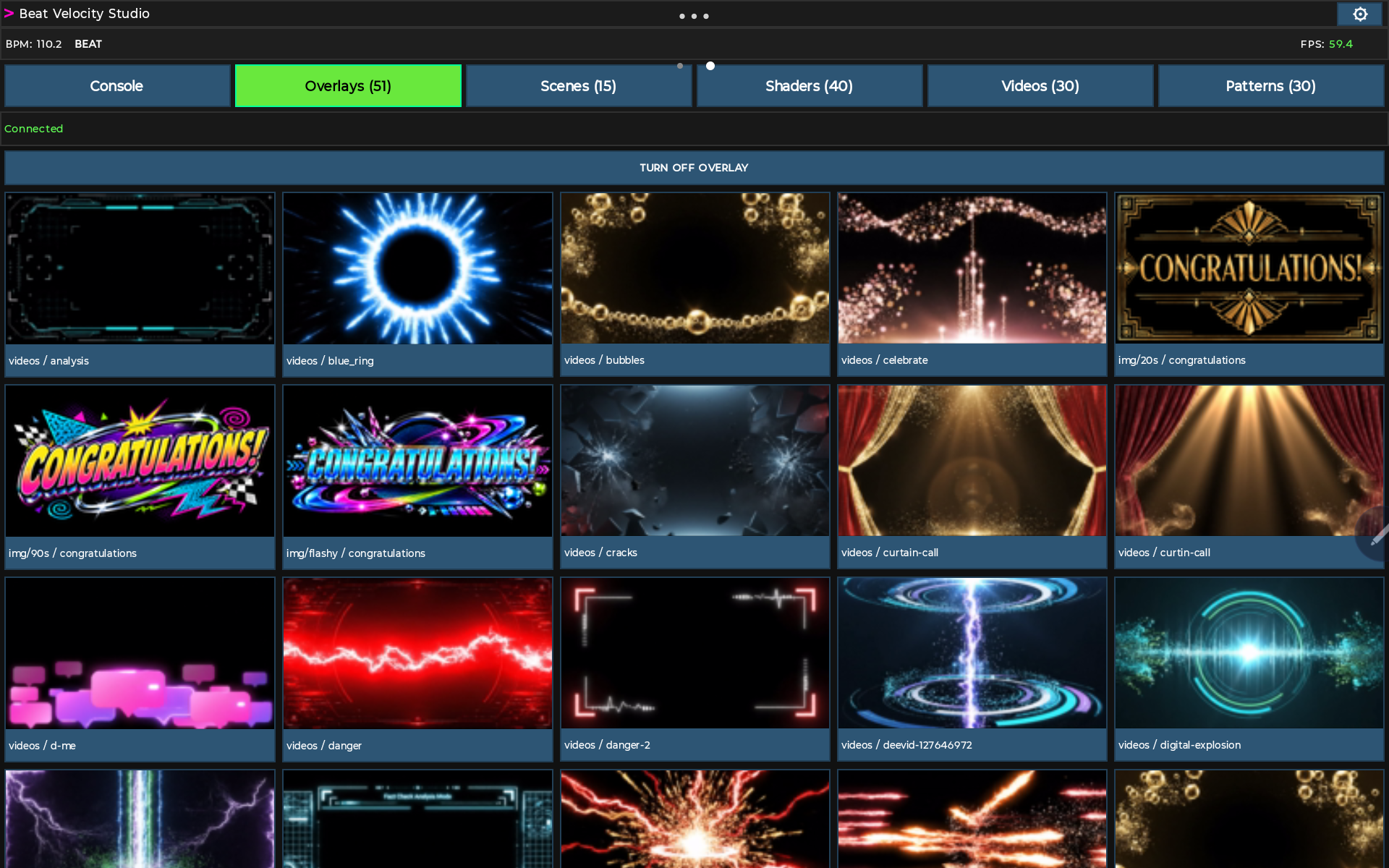
Trigger logos, alerts, and announcement overlays from the tablet, with a dedicated button to turn off whatever overlay is currently live.
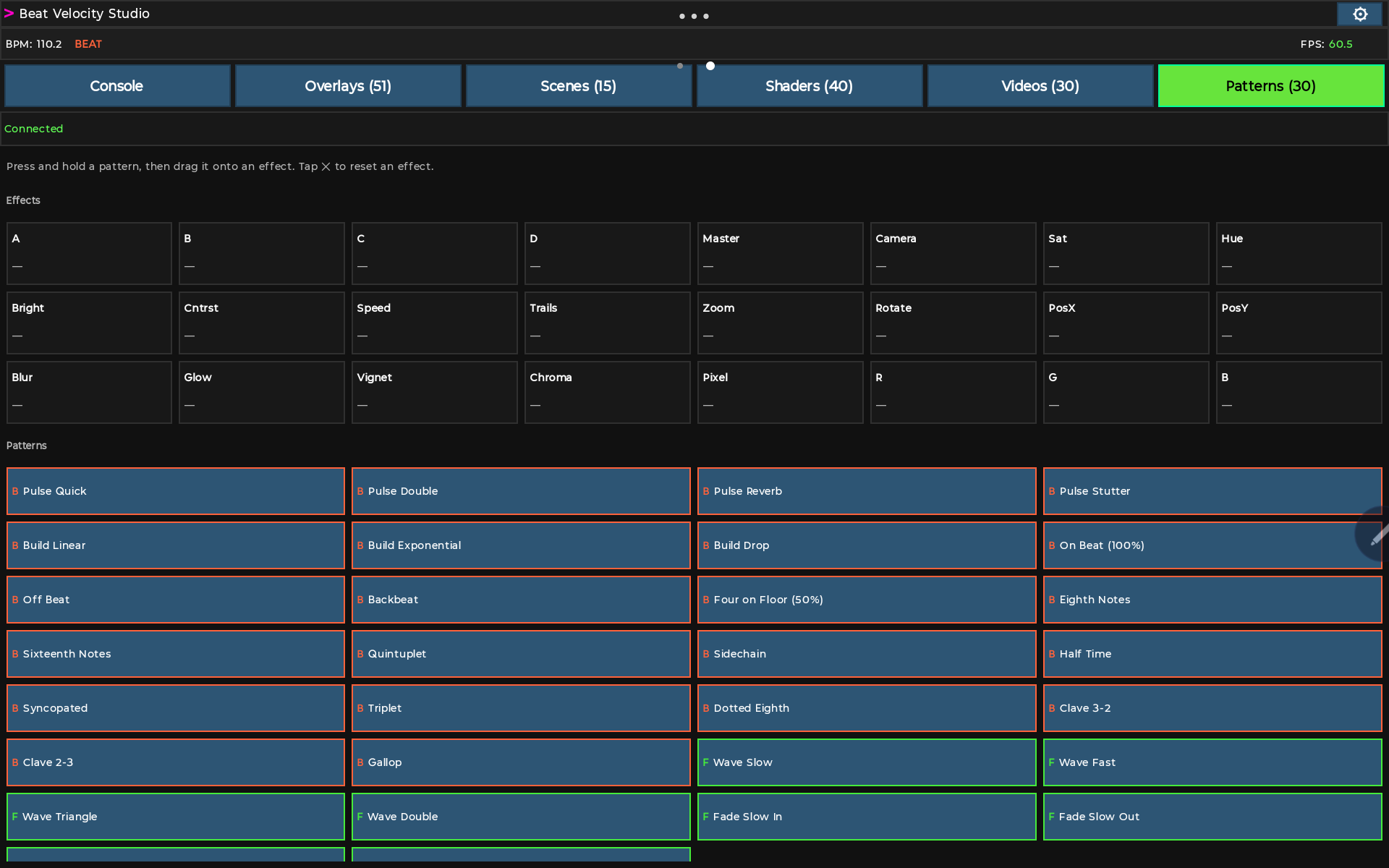
Press and hold a pattern, then drag it onto an effect to automate it live, from pulses and builds to beat-synced waves, right from the tablet.
Create swipeable control screens, add OSC destinations, and map buttons, toggles, values, and faders to other OSC-capable software or devices.
The Android Console code mirrors the desktop catalog and runtime state so show-critical controls can be presented as fast touch targets.
Trigger favourite scenes, watch the active scene, select layers A-D, and see layer state from the connected desktop session.
Assign shaders or presets to the selected layer, browse categories, and use preview requests so operators can make better choices under pressure.
Assign videos, play, pause, stop, loop, seek, and trigger saved overlay presentations from the remote surface.
Switch beat modes, trigger manual beats, adjust beat sensitivity, choose blend modes, apply color presets, and reset live parameters.
Custom grid screens are where the Console becomes more than a Beat Velocity remote. They can be used as purpose-built OSC panels for Beat Velocity shortcuts or for generic OSC destinations in a larger show system.
The companion app strategy is separate from the desktop render app. The desktop renderer is available for macOS and Windows 11; the companion Console app starts on Android and expands to macOS next.
Designed for tablet operation over Wi-Fi with Beat Velocity Native pairing and OSC Generic provider support.
Planned for Mac-based operators who want a separate control surface while the show machine continues running the visual output.
We want feedback from operators who actually run shows: what needs to be one tap, what should never be buried, which OSC workflows are missing, and which custom controls would make the tablet feel like part of the rig.
